The modern paperless POS for modern businesses.
Take orders at the counter, accept QR orders, or run table service, all from one simple POS. No receipt printer, no paper slips.
No printer. No transaction fees. Plans from R399/month.
Built for cafés, takeaways, restaurants, food trucks and other small businesses.
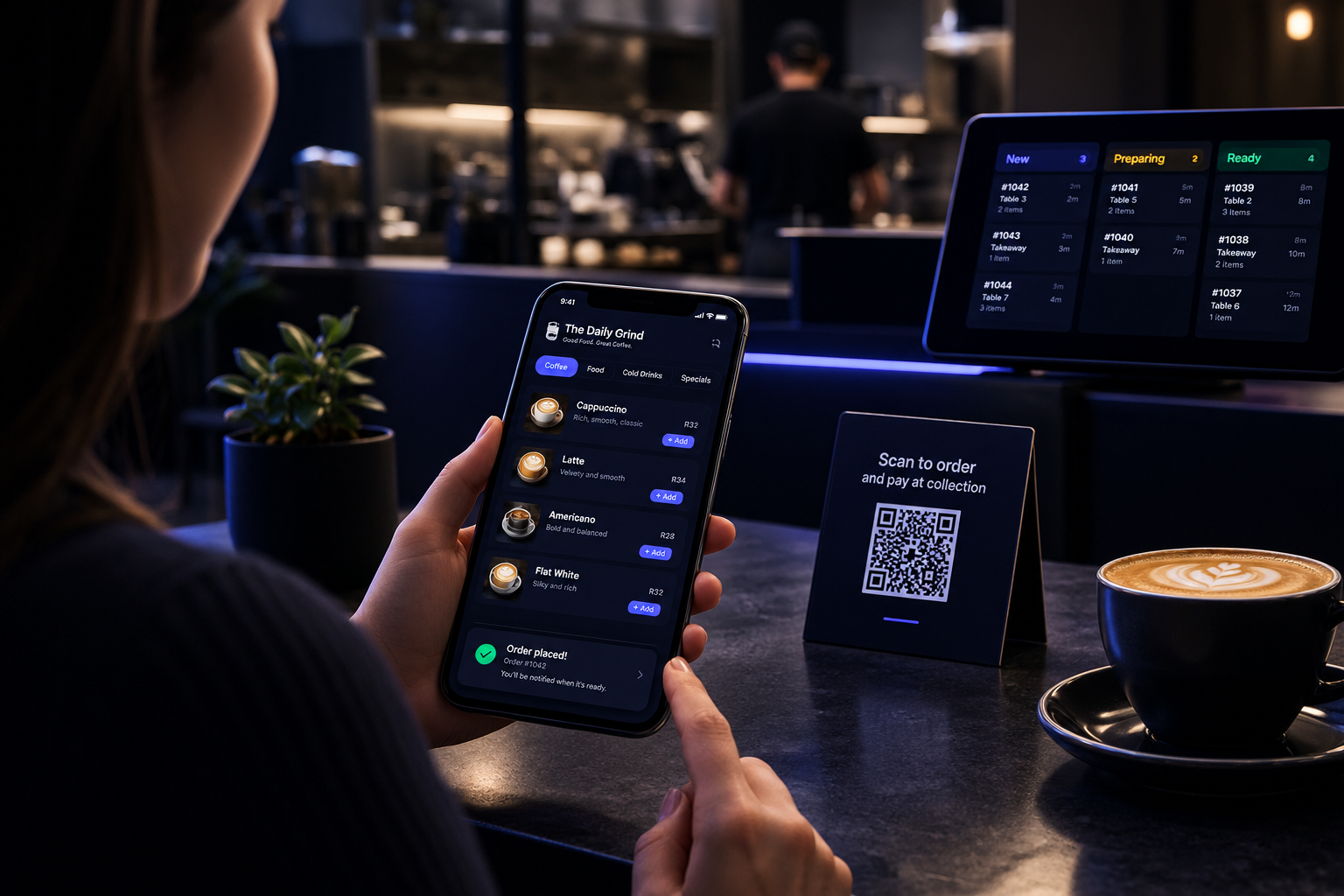
See it in action.
Real screens from SimpleApps POS, shown with a demo café.
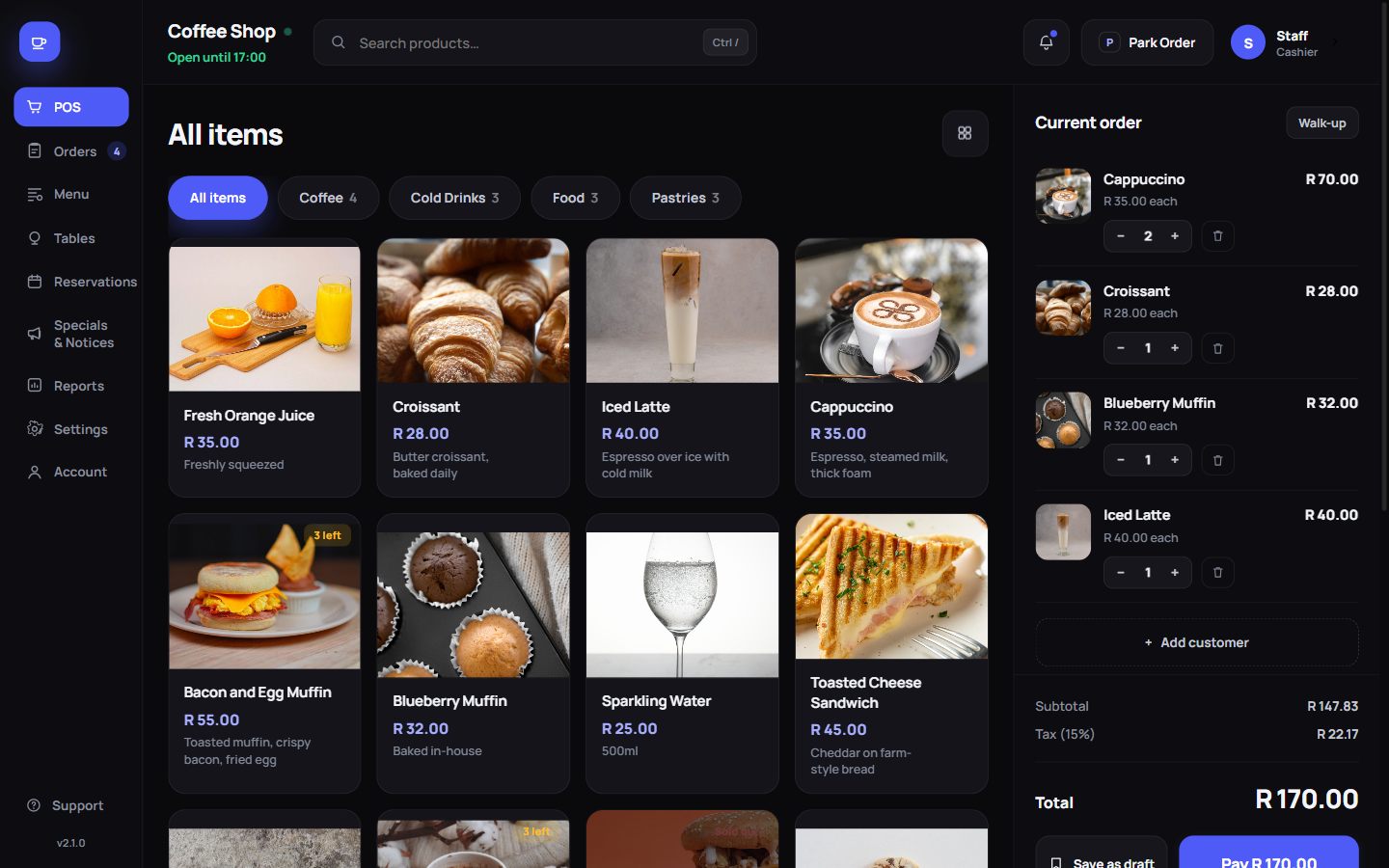
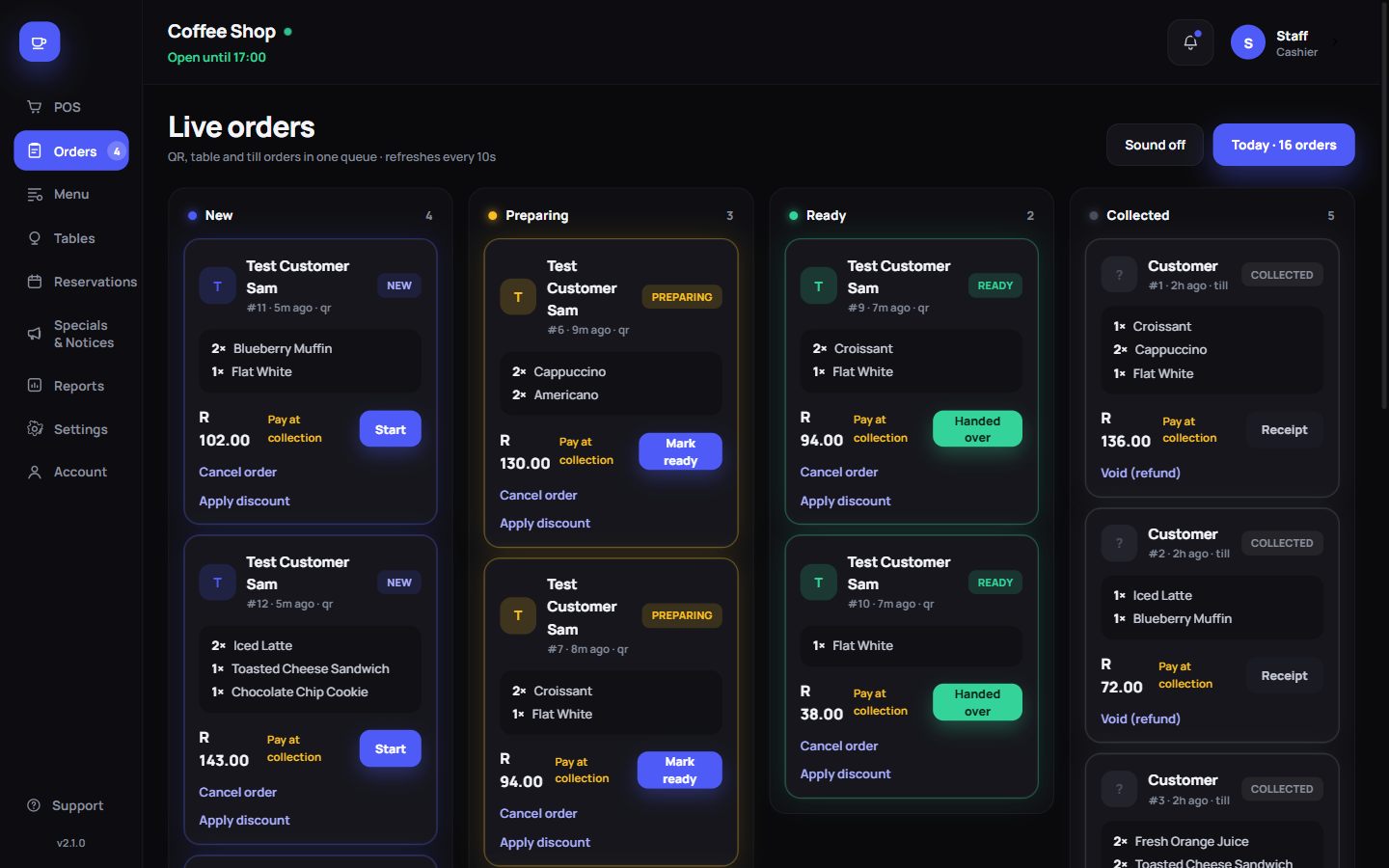
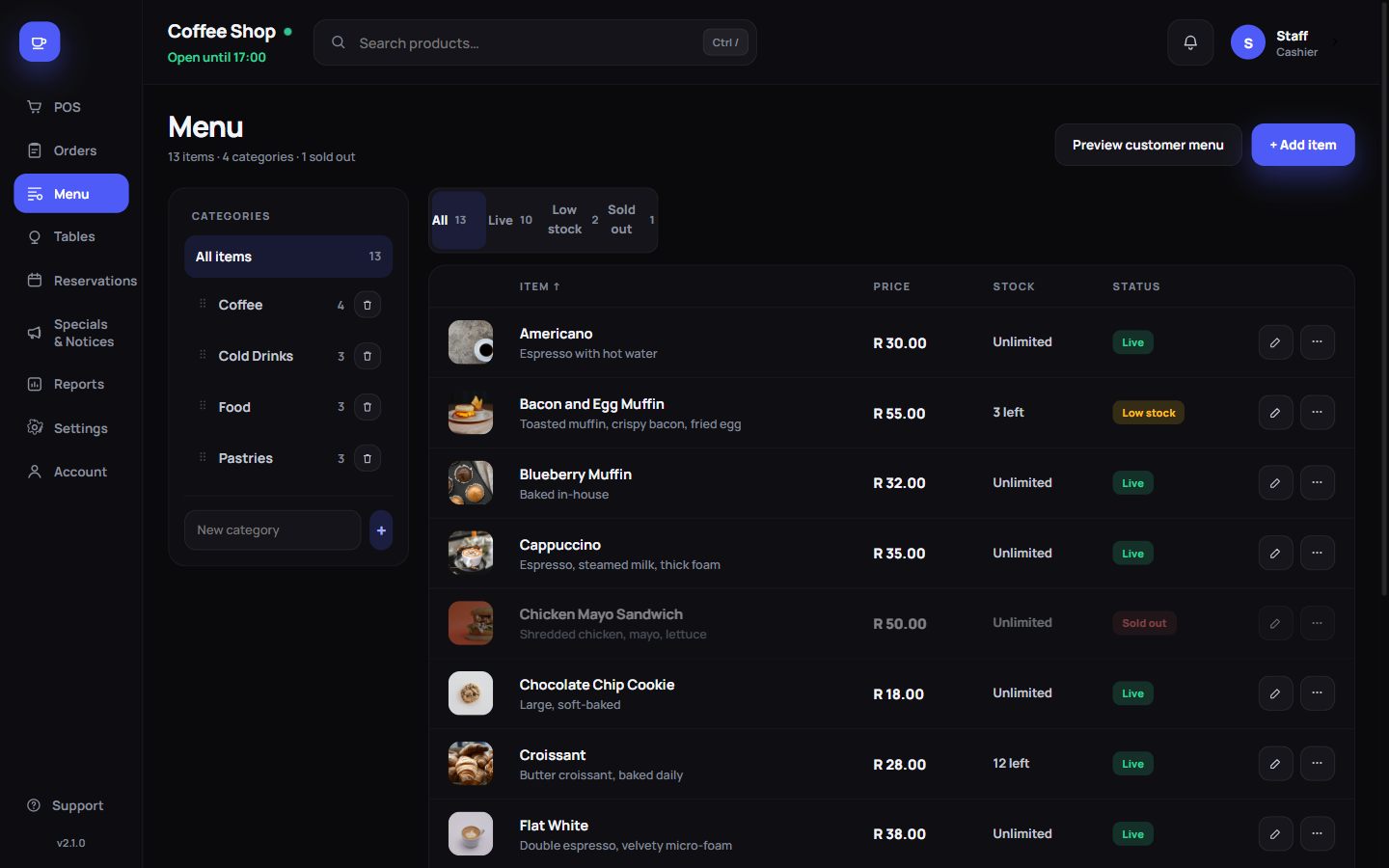
One POS. Multiple ways to take orders.
Your customers don't all order the same way. SimpleApps POS gives your business the flexibility to serve them however you want.
Counter
Take orders yourself using the built-in till screen.
QR ordering
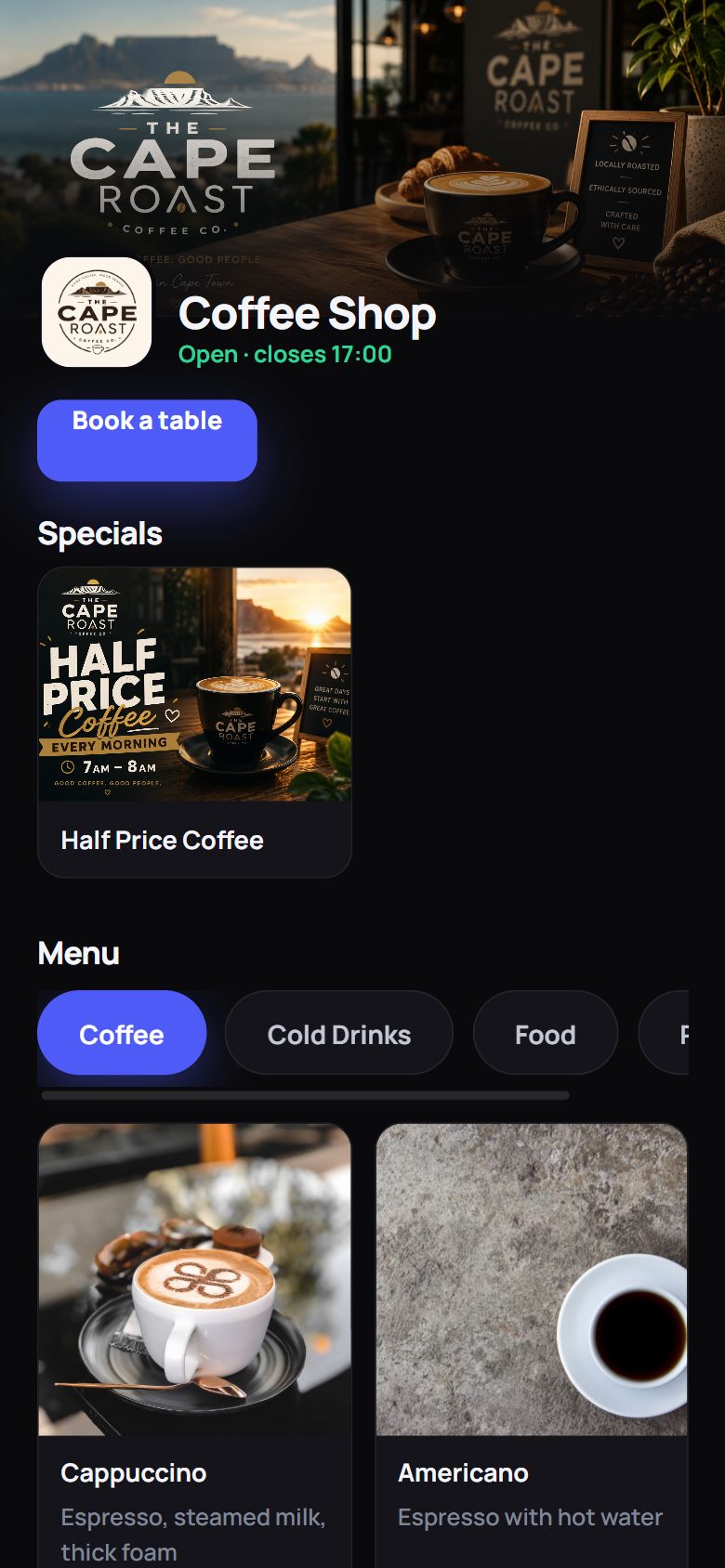
Customers scan your QR code, order from their phone and follow their order status live.
Table service
Give every table its own QR code. Diners order from their phones, join the same table and keep their own items separate.
Simple for your customers. Simple for your team.
Customers choose how they want to order
At the counter, from their phone, or from their table.
Orders arrive instantly
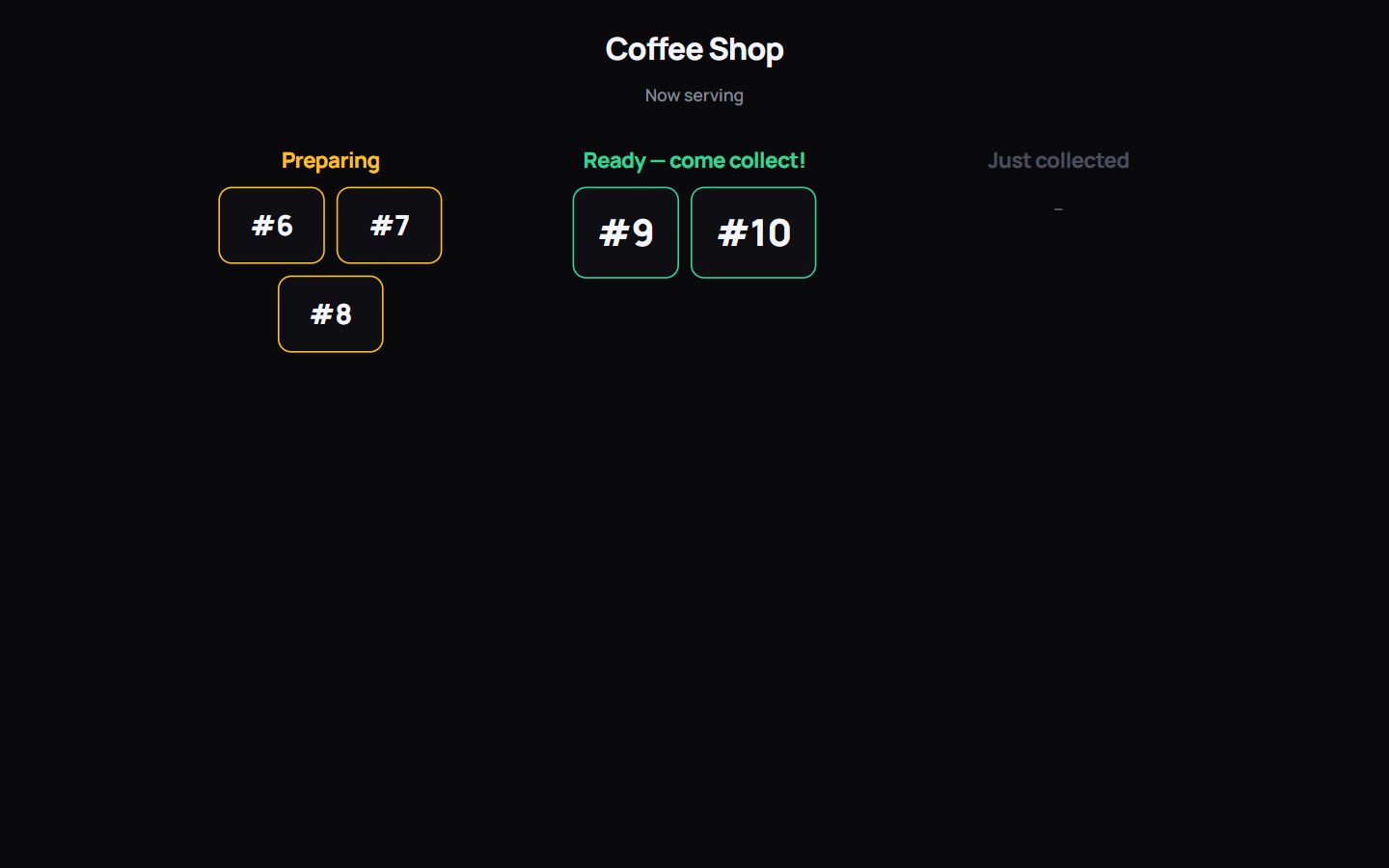
Every order appears on your live order board. Staff can move orders from New → Preparing → Ready → Collected.
Customers stay informed
Customers can follow their order status directly from their phone without needing an app.
Everything you need to run service.
Digital menu
Manage your menu, categories, photos, options and pricing from one place.
Stock control
Track stock levels and mark items sold out when something runs out.
Specials
Create specials using your existing menu items, with live pricing and stock.
Live order board
Give your team a simple visual view of every order moving through service.
Counter till
Take orders directly from your POS without needing a separate ordering system.
Table service
Use a QR code for every table and let multiple diners order into the same table session.
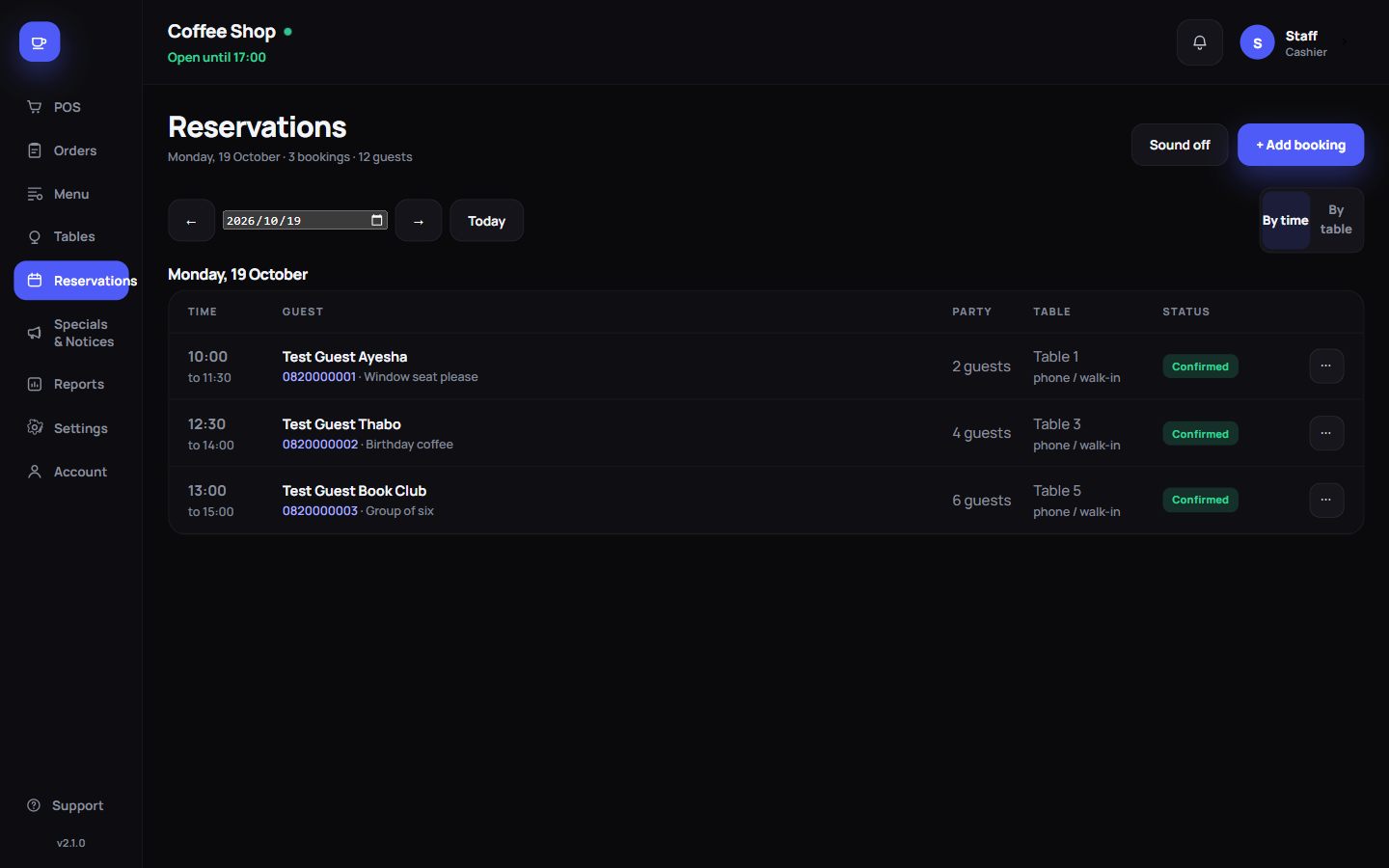
Table reservations
Optional. Guests book from your page; they only see times when a table that fits is free, inside your trading hours. You confirm automatically or by hand.
Split bills
Keep track of who ordered what and settle individual diners rather than figuring it out at the end.
Staff access
Give your team access to the counter using a staff PIN without sharing your owner account.
Your brand
Add your logo, cover image, menu and business details. Customers get a branded experience on their phone.
Why paperless?
Most thermal till slips are coated with BPA, or a similar chemical called BPS, which rubs off on skin. Absorption rises a lot when hands are wet or greasy, which is every day in a kitchen, and your staff handle slips all shift. The EU banned BPA in thermal paper in 2020.
SimpleApps POS needs no receipt printer: orders appear on a live board and customers track theirs on their phone. Less paper, no ink or rolls to buy, and nothing for your team to handle.
Sources: Ecology Center, Planet Ark.
Turn any table, counter or window into an ordering point.
Print your QR code. Put it where your customers can see it.
They scan. They order. You prepare.
No app download. No customer account. No complicated setup.
Customers still pay you the way they normally do.
Built for tables too
One table. One session. Individual orders.
Split the bill by diner. Add tips. Settle the table.
Built for tables too.
Give every table its own QR code.
Multiple diners can join the same table, order independently and keep their own items separate.
Everything you need. Simple pricing.
SimpleApps POS
From R399/month
14-day free trial
Included
Use your existing card machine and payment method. SimpleApps POS doesn't take a percentage of your sales.
Questions
Do customers need an app?
No. Customers order directly from their phone's browser. They can optionally add your menu to their home screen for quicker access.
How do customers pay?
You choose how you want to take payment. Customers can pay using your normal payment method when collecting or settling their order. SimpleApps POS doesn't charge a transaction fee.
Can customers choose a collection time?
Not yet. Orders go straight to your live order board and customers follow their order status on their phone.
Can I use it for table service?
Yes. Create a QR code for each table. Multiple diners can join the same table session, order separately and keep their items associated with them for individual billing.
Is it really paperless?
Orders go to a live order board instead of a printed kitchen ticket, and customers follow their order on their own phone, so you don't need a receipt printer or thermal rolls. If a customer or your accountant wants a printed copy, you can still print one from your browser.
Can guests book a table?
Yes, if you switch it on. You give each table a number of seats, and your public page shows a Book a table button. Guests only see times that genuinely have a table free. Bookings stay inside your trading hours, and you can confirm them automatically or approve each one. Not every business needs it, so it is off until you turn it on.
Do I need special POS hardware?
No. SimpleApps POS is software-first. You can run it on compatible phones, tablets or computers and use your existing payment hardware separately.
Can my staff use it without my owner login?
Yes. Staff can access the counter using a staff PIN.
What happens if the internet goes down?
SimpleApps POS requires an internet connection for live ordering and synchronisation. We recommend keeping your normal manual fallback available for connectivity outages.
What does SimpleApps POS cost?
Starter is R399/month (owner login plus up to 5 staff PINs). Busy is R599/month (up to 15 staff PINs). Busy + extras adds R25/month for each staff PIN above 15. No transaction fees and no long-term contract.
Ready to modernise your POS?
Start your 14-day free trial and see how SimpleApps POS fits your business.
No credit card required.
Talk to us
Questions about SimpleApps POS, a bug to report, or something you'd like added? Send a message and we'll reply within 24 hours.
+27 79 469 8498